
modlens
Run the following command in DeepSeek Harness:
dsh plugin install liustack/modlens
Paste the following prompt into your AI chat to install this plugin:
To install ModLens in DeepSeek Harness, run `dsh plugin install liustack/modlens`; the full source repository is at https://github.com/liustack/modlens .
About this plugin
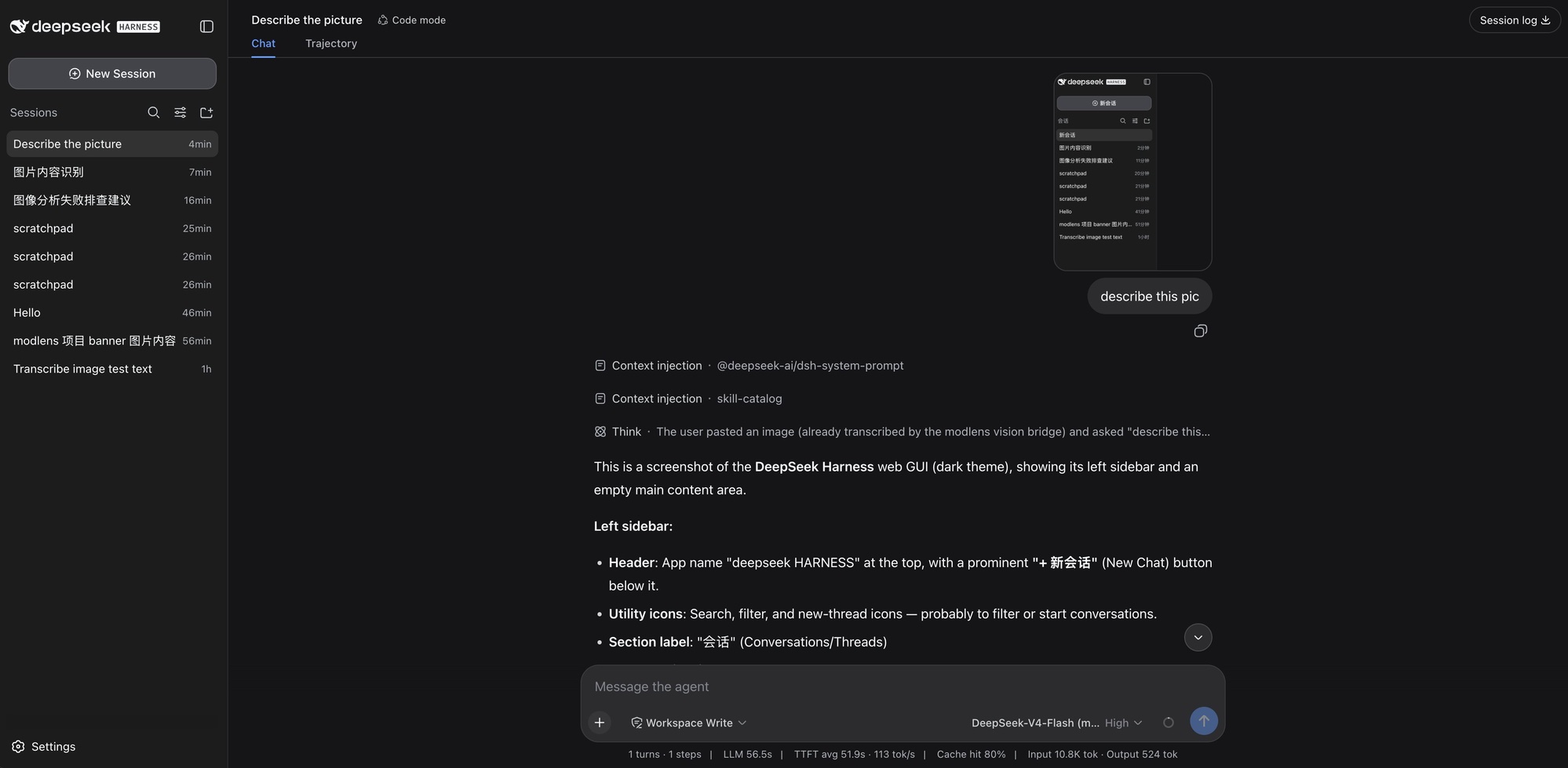
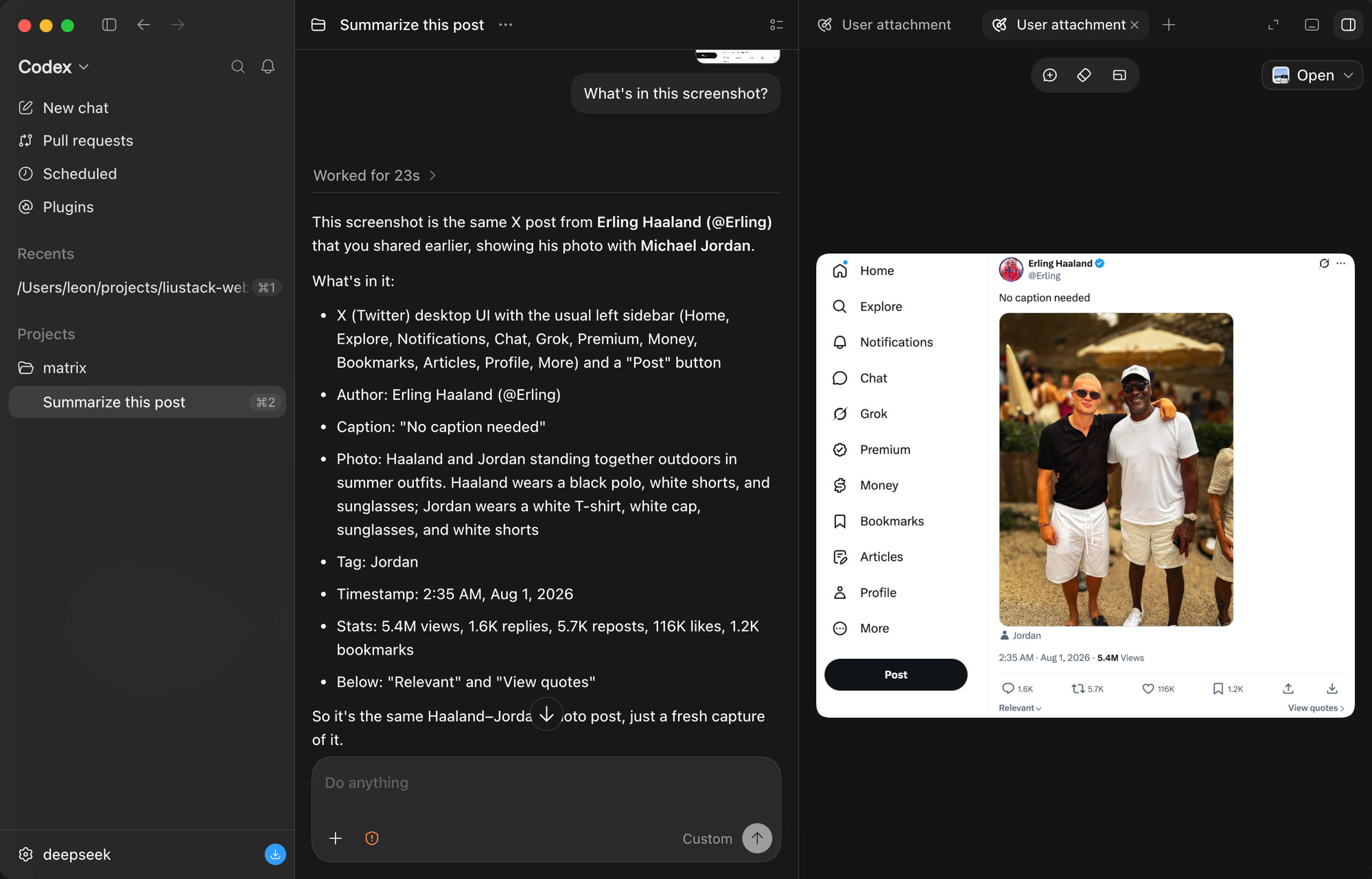
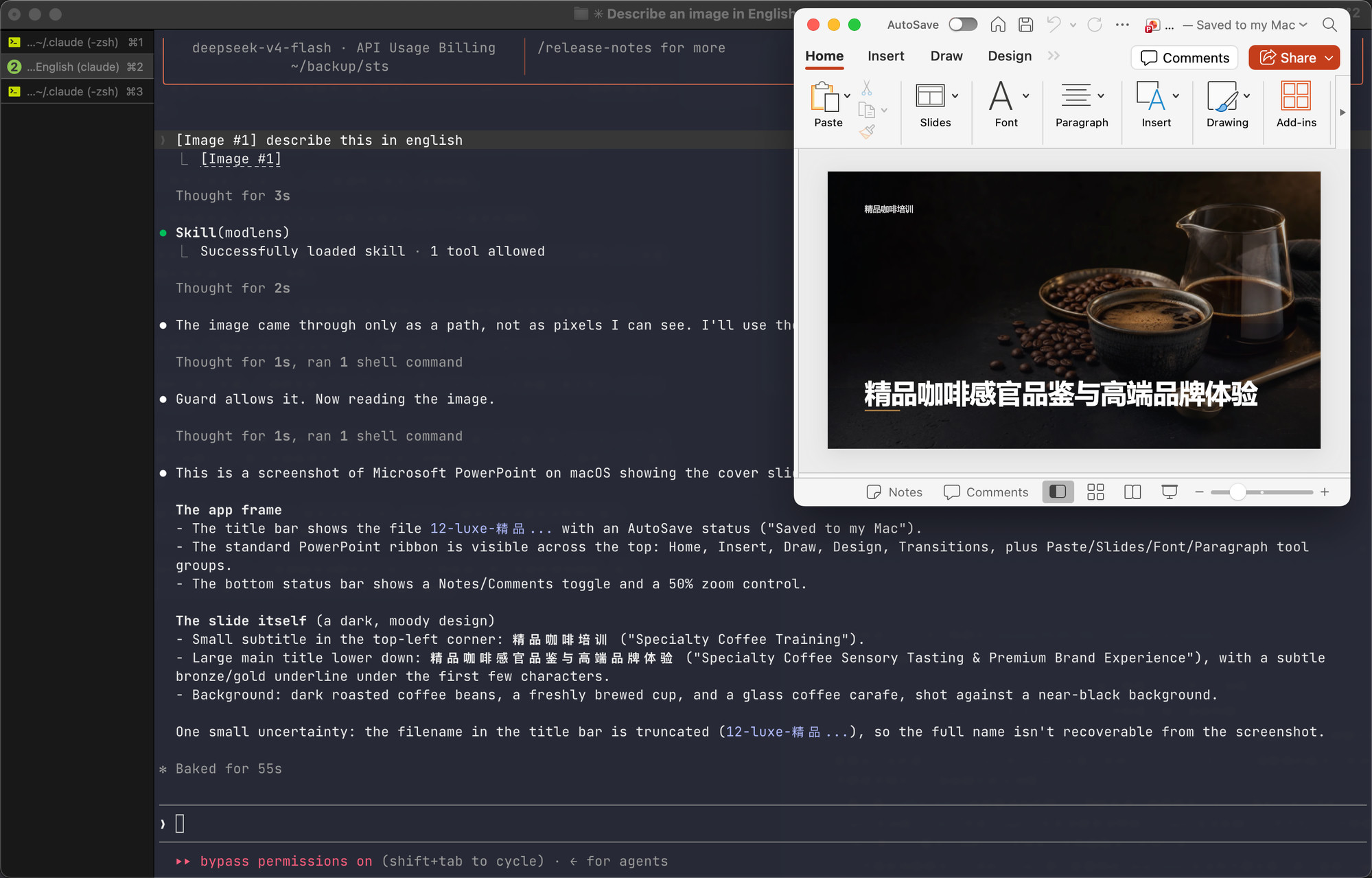
ModLens solves a specific and annoying problem: DeepSeek and GLM's flagship chat models are text-only and cannot see images. Previously, to get a model to analyze a screenshot, you had to save the file and pass its path into the conversation—clunky and disjointed. ModLens makes that disappear. You simply paste an image into the chat, and it automatically reads, transcribes, and understands it, so the model answers based on real pixel content rather than guesses. It's like giving a text-only model a pair of eyes, plugged in instantly.
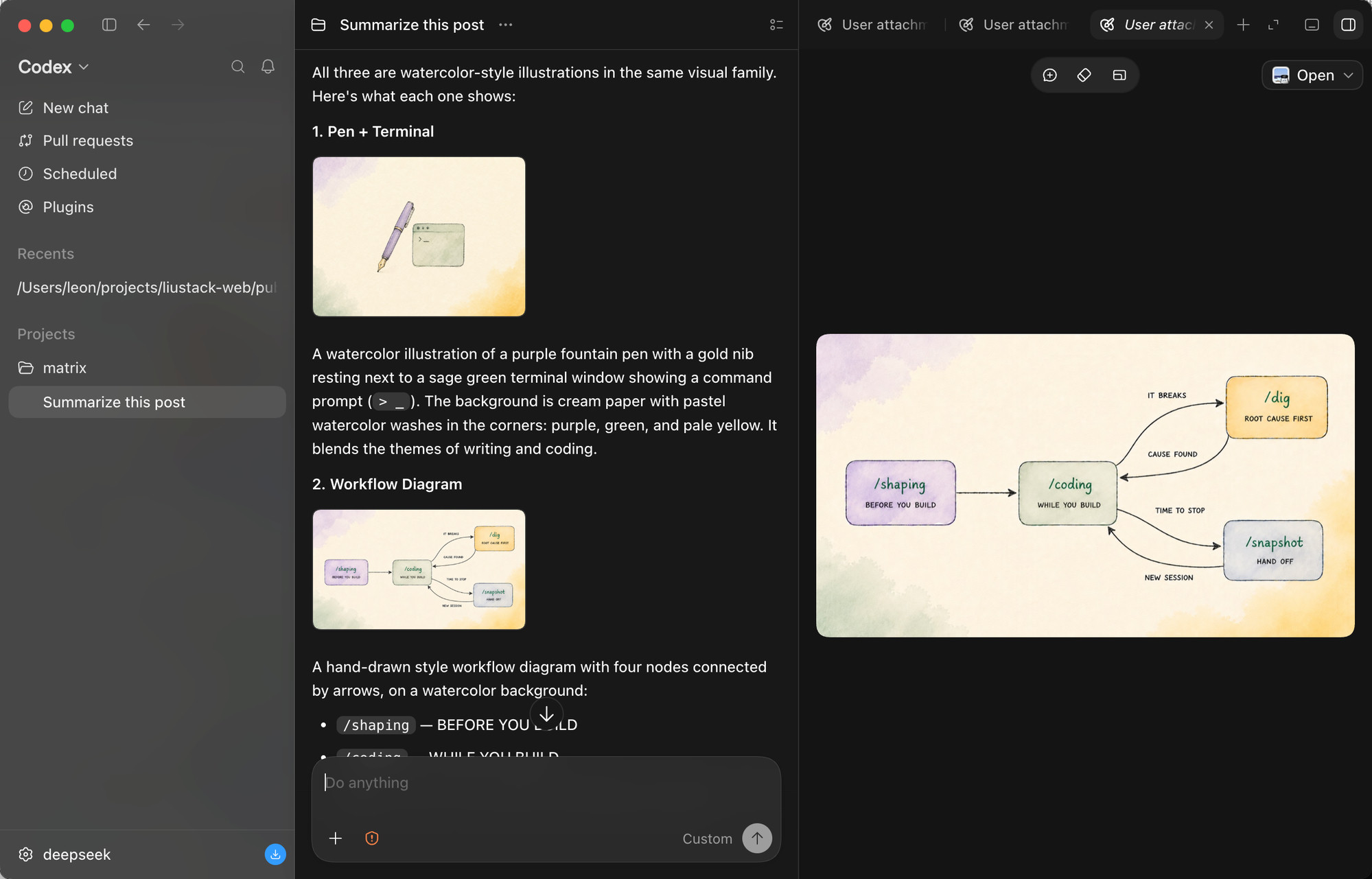
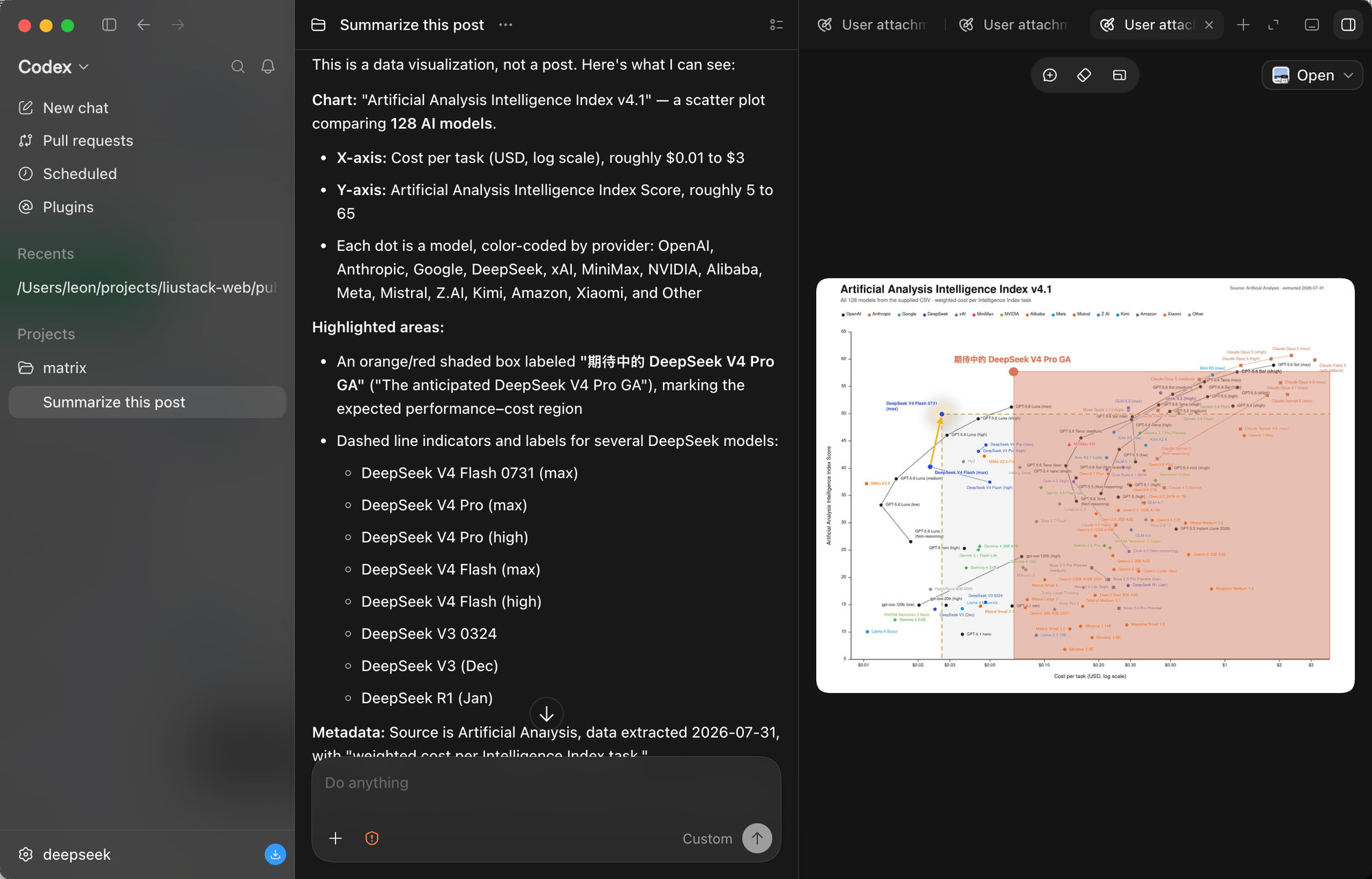
Its core abilities go far beyond basic image description. ModLens outputs full transcription, reading-order layout regions, and entity/relation lists, letting the model quote specific details instead of making vague statements. It handles multiple images pasted at once, and it can tackle dense charts—like a scatter plot comparing 128 AI models, reading both axes, the log scale, color coding per provider, and highlighted regions. Under the hood, it bundles six built-in vision engines and four reusable local CLI logins into one automatic failover chain: a free Gemini key gives the fastest reads, while existing Claude Code, Codex, OpenCode, or Pi logins can back it up with your explicit consent, and every reused read is labeled with whose quota it spent. The footprint is minimal: on DeepSeek Harness it's exactly one plugin, and uninstalling is deleting a folder.
Who is it for? If you use Claude Code, Codex, OpenCode, Pi, or DeepSeek Harness with a text-only model, and you regularly need to analyze screenshots, charts, UI mockups, or long image documents, ModLens is built for you. It's especially great for people who want zero configuration—it auto-detects and reuses logins and keys already on your machine—and for those who care about privacy and transparency: image content is treated as untrusted input, and file permissions and fetch policies are clearly documented. In short, if you want your model to genuinely "see" what you paste rather than pretend to, ModLens is the most effortless way to get there.
Editor's note
Written for AI Agent Hub. This is separate from the publisher description above.
What problem it solves
Flagship chat models in the DeepSeek and GLM lines are often text-only. ModLens is a Harness plugin that tries to put an image in front of those models so a screenshot can be discussed in the same session. The problem is blindness, not general intelligence.
Who it is for
Harness users who already call a text-only model and have one class of image they need: a UI screenshot, a diagram, an error dialog. You can judge the answer because you can see the image too.
Who should skip it
Skip it if your model already accepts images. You do not need an adapter, and a second path will make failures ambiguous. Skip it if the screenshot contains secrets, unreleased product UI, or customer data you cannot send wherever the plugin forwards the image. Read the README for the request path before you assume the pixels stay on the machine. Skip it if you wanted a different model entirely. Switching to a multimodal listing may be simpler than adapting a blind one.
First three steps
- Read where the image is sent. Stop if that host is not acceptable.
- Install in a spare profile. Hand it a screenshot of a single button whose label you can read.
- Accept the plugin only if it names that label. A fluent paragraph about a different control is a wrong tool. Uninstall before you point it at a real design review.
Alternatives on this site
A multimodal model row is the alternative when you are allowed to call it and you do not need to stay on the text-only endpoint. Routing suites are a different inference plugin: they choose models for steps of a text job. They do not replace an image test. See model inference.
Questions
If it describes the image confidently, is it right? Only when the details match what you see. Confidence is not the test. The label is.
Does this change the model card's modality flag? No. The model listing stays text-only. The plugin is a separate component.
Screenshots
Use Cases
- Paste screenshots to analyze UI and layouts
- Read chart data and cite specific details
- Paste multiple images at once for content recognition
Best For
- Developers using text-only models
- Everyday users who need quick screenshot analysis
- AI tool users who want a zero-config experience
Related Plugins

Install in dsh with no login or API key for unlimited free access to frontier models such as DeepSeek V4.1 Flash and Kimi K3, plus a local OpenAI-compatible gateway.
A unified suite combining hot runtime injection, task-aware thinking-mode routing, and a graded session protocol with red-team gates to sustain model diligence across long-horizon inference.
Improves token efficiency in DSH via low-intrusion OPS tools, selective hiding of official tools, and on-demand dynamic loading for Native and PTC modes.

On-demand vision for text-only DeepSeek Harness agents: built-in free keyless vision chain and 14 vision tools, routing image turns as tool calls to vision models with pixel fidelity, no Python needed, one-command install.
Reader reviews
No approved reader reviews on this listing yet. Yours can be the first.